How to Add Vercel/Analytics to Vitepress Projects
Quick tutorial on configuring Vercel Analytics for VitePress projects by adding the tracking script to your config file.

Hello there! I hope this message finds you well. Before I dive into today’s topic, I want to share an important update with you all. From now on, I’ll be writing all my blog posts in English. I hope this decision will help me reach a wider audience and connect with more people who share similar interests. With that said, let’s get started with today’s post!
In this post, I’ll provide a short tutorial on how to configure Vercel/Analytics for Vitepress projects. When I tried to test the Vercel/Analytics product, I couldn’t find a clear step-by-step guide on this topic. So, let’s get started.
Step one
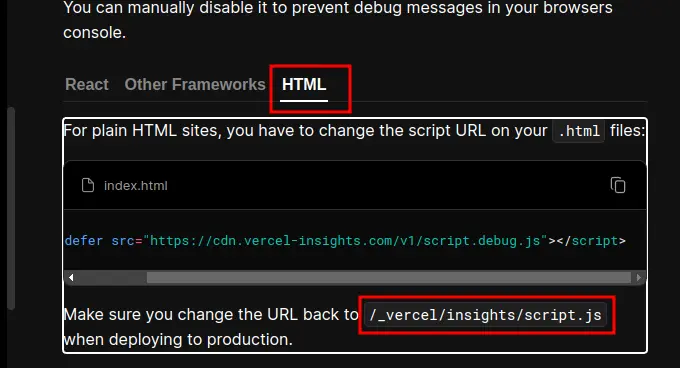
Visit the official Vercel/Analytics documentation and look for the option to add the script to an HTML file. It should look like this:
Step two
Navigate to the .vitepress folder and open the config.js file with your preferred IDE. Then, add the following line to the defineConfig object, at the same level as the title property:
head: [["script", { src: "/_vercel/insights/script.js", defer: true }]],
Finally
Now, you can push your changes and wait for visitor information to be collected.